Skip to the page

From the first inquiry to the last song.

Your client manager, contracts, invoices, calendar, your couples' planning timeline and your run of show. One app for a wedding DJ company, on your phone, iPad and laptop.

Mike SandersAbout 30 minutes, live with Mike.

A client manager.
A contract desk.
A calendar.
A planning timeline.
A run of show.

Most wedding DJs pay for a planning tool for their couples and a separate business tool for contracts, invoices and payments. Here is every part of Wedding EQ™, one at a time, in the order a booking happens.

Mike Sanders

"A wedding is no place for uncertainty. I built Wedding EQ because the tools I paid for let me down at the events that mattered most. They were clunky, expensive, and two completely separate systems."
Mike Sanders, wedding DJ and founder

01 · Inquiry

A lead lands. The night has already started.

Leads and pipeline

Pro

An inquiry becomes a lead on the board with an EQ timeline attached from day one. The contract, invoice and requests sit on the same card, in order, without retyping what's already there.
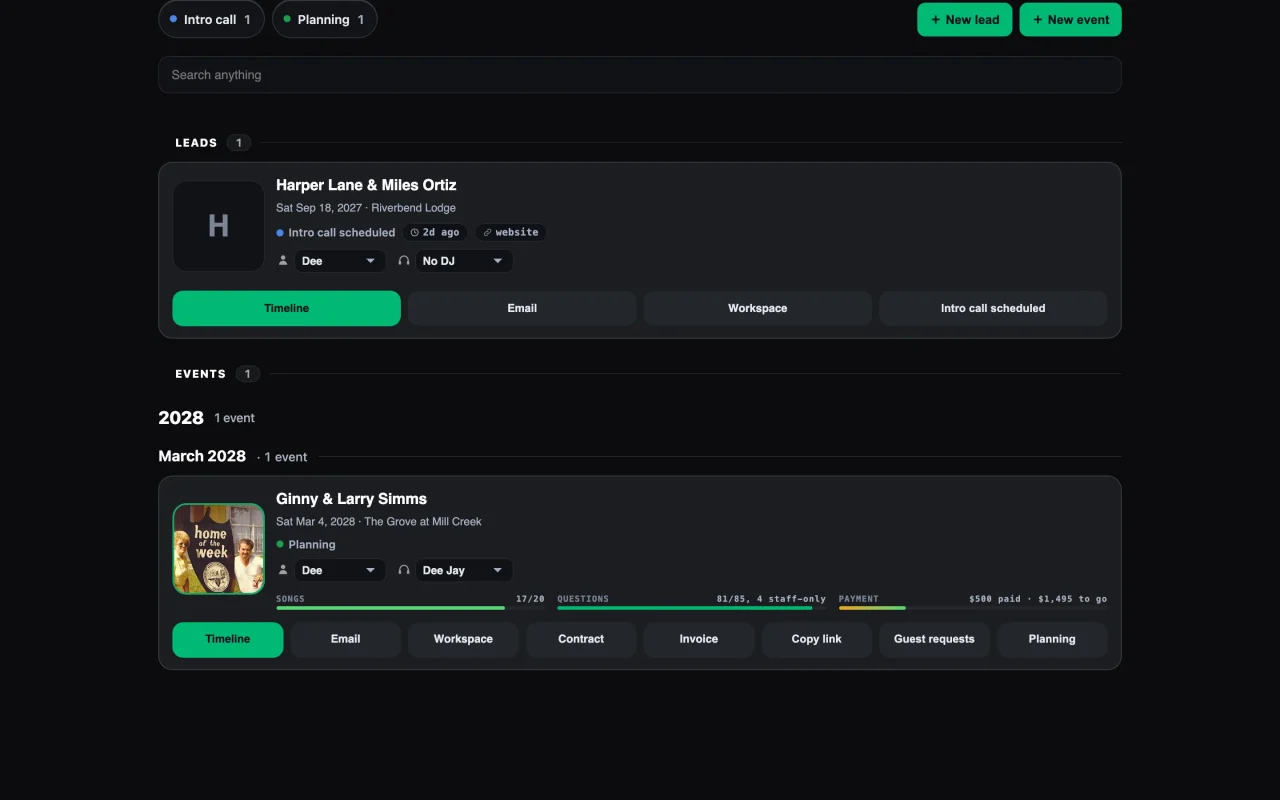
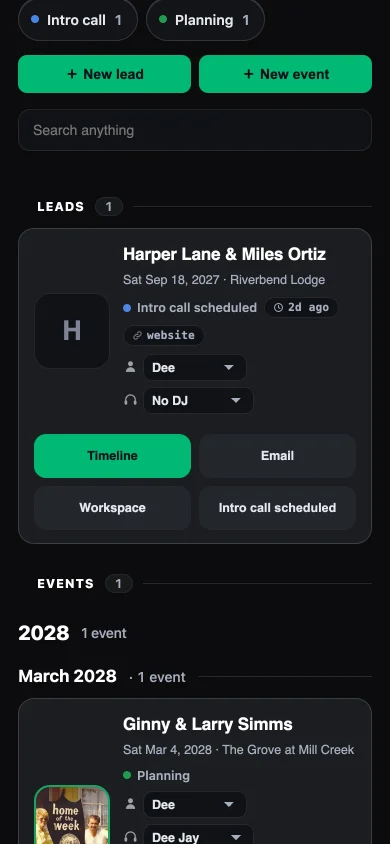
The pipeline on a laptop: a new lead from two days ago above Ginny & Larry Simms, booked for March 4, 2028, with $500 paid
The same pipeline on a phone, with the new lead and the Simmses' booking
Fig 01 · Leads and pipelineScreens show a sample company and sample couples.

Contracts and e-sign

Pro

The contract goes out from the lead's card, filled in from what's already there. Your couple can sign it on their phone.
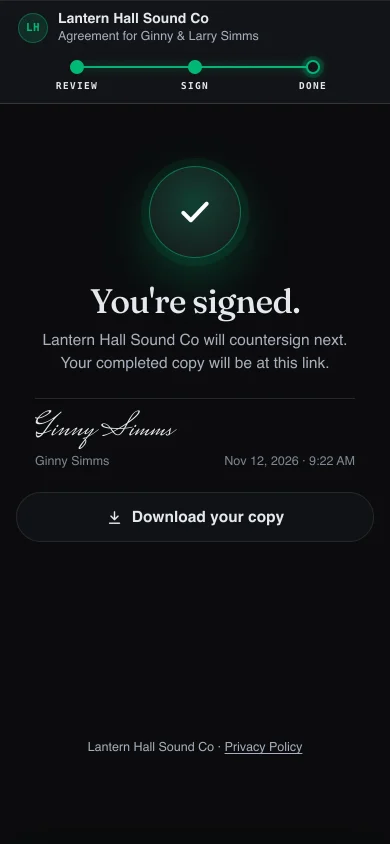
The signed agreement on a phone: Ginny Simms has signed, and the DJ company countersigns next
Fig 02 · Contracts and e-sign

Invoices and payments

Pro

The invoice goes out from that card too, and the deposit can be paid by card from the invoice once card payments are on. The gap between "we love you" and "we are booked" is where bookings get lost.
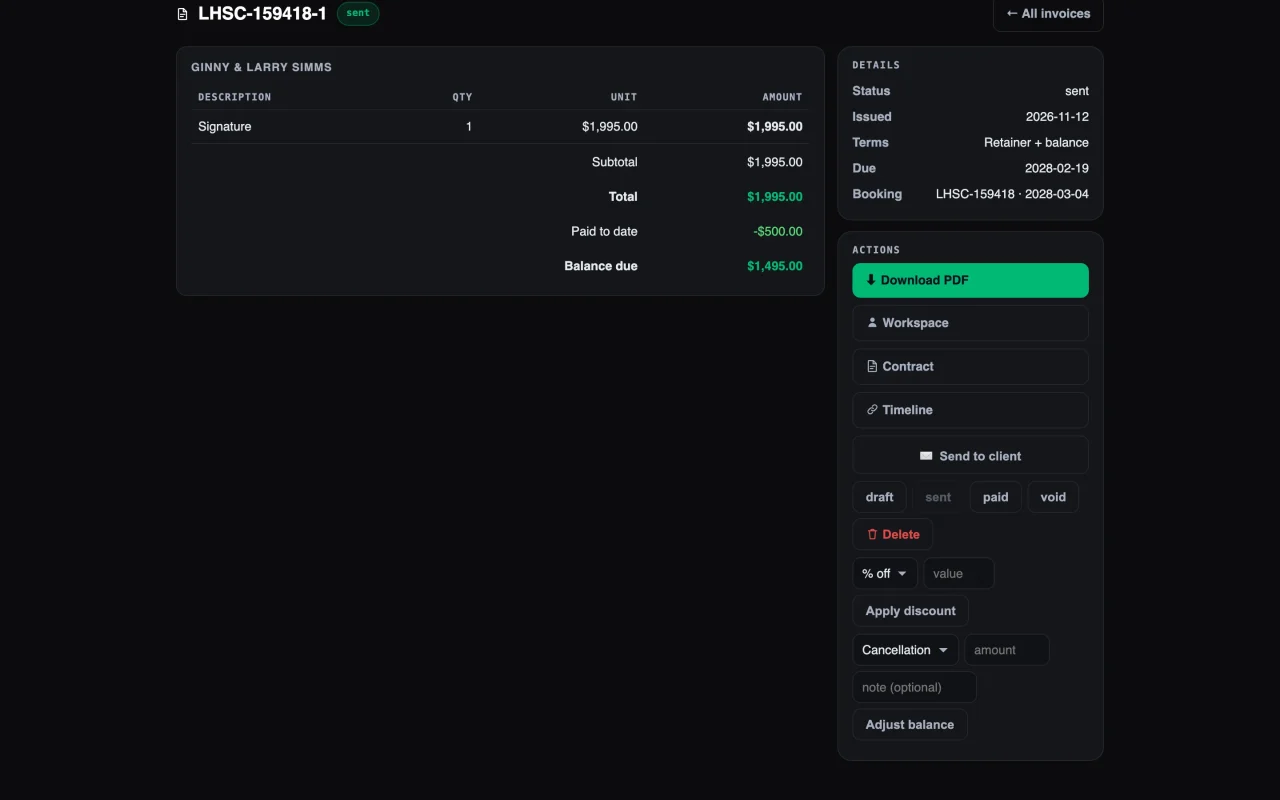
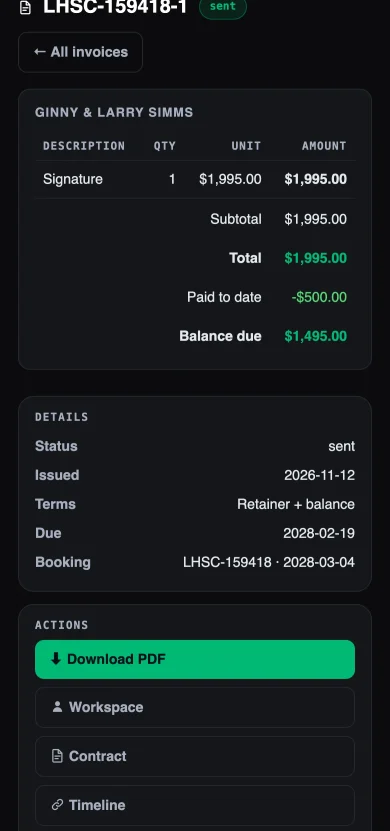
An invoice on a laptop for Ginny & Larry Simms: Signature package, $1,995, $500 retainer paid, $1,495 balance due
The same invoice on a phone, with the balance due and its details
Fig 03 · Invoices and payments

Calendar

Pro

Who is free, busy or double booked, across your DJs. Check a Saturday before you say yes to it.
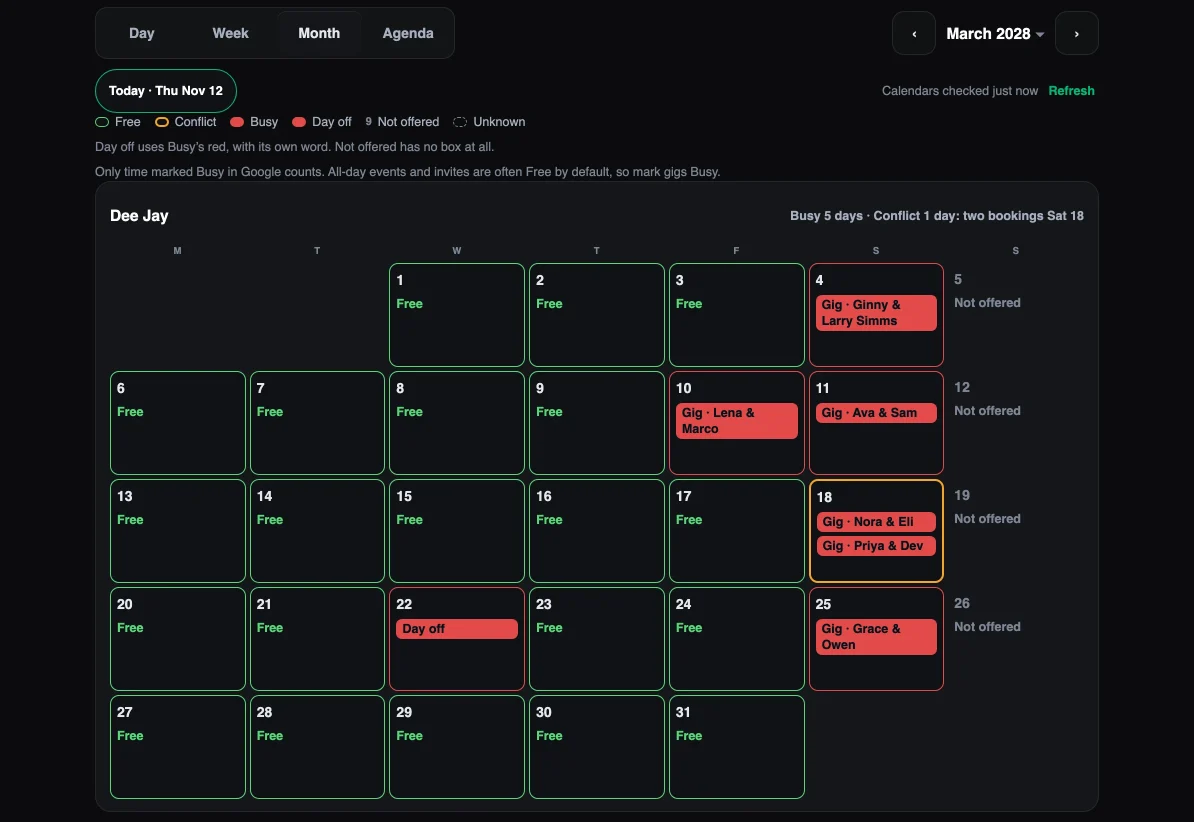
A month of DJ availability on an iPad, with Ginny & Larry Simms booked on March 4, a Saturday double booked, and a day off
Fig 04 · Calendar

Packages and pricing

Pro

Your packages and prices live in EQ, in one editor. Need a website too? We can build one as a custom service, quoted separately.
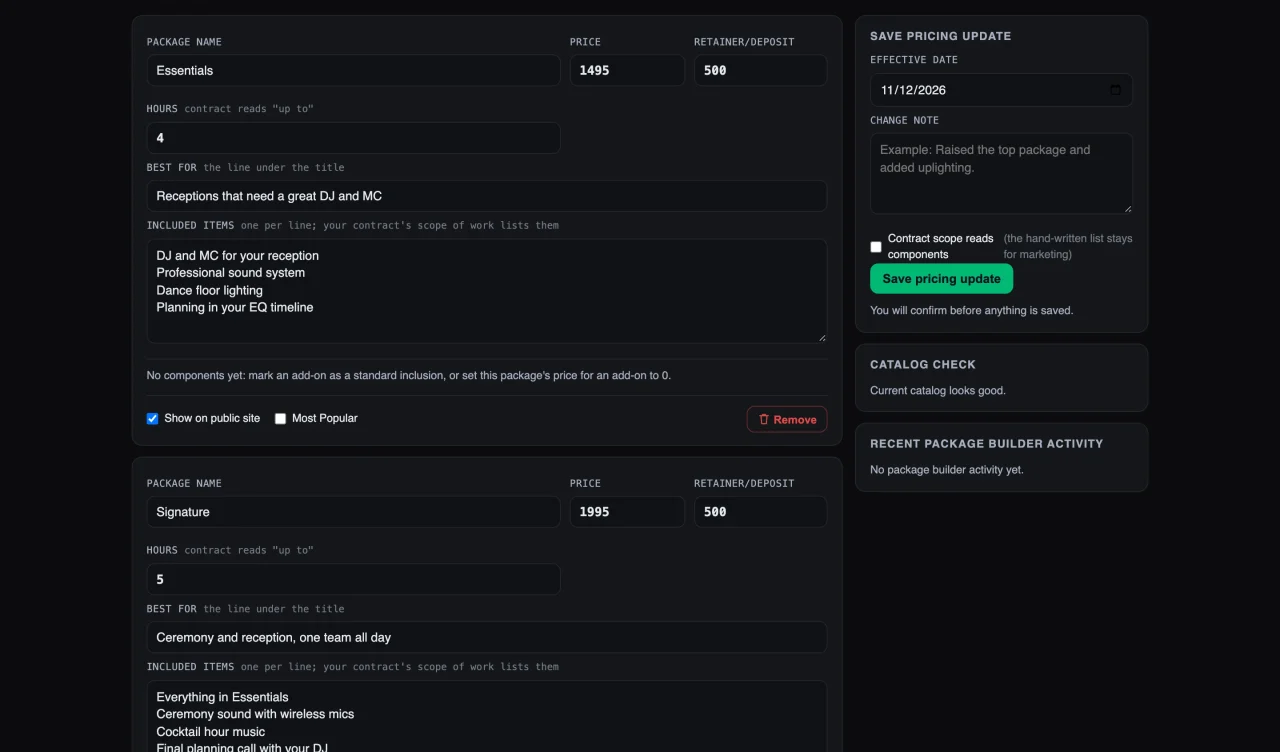
The packages editor on a laptop, with Essentials priced at $1,495 with a $500 retainer, four hours and its included items, and Signature below it
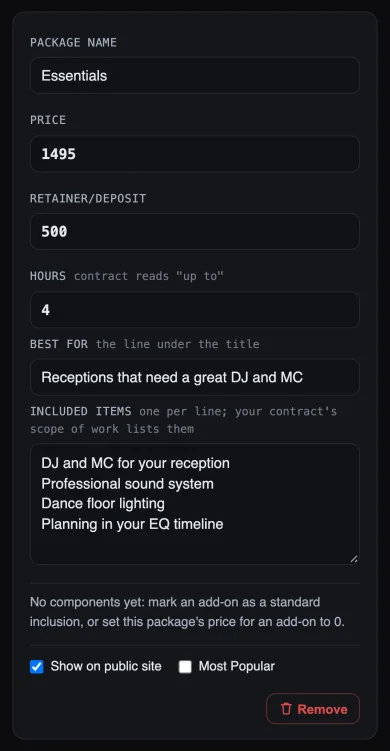
One package in the editor on a phone: Essentials, $1,495, $500 retainer, four hours, best for receptions that need a great DJ and MC
Fig 05 · Packages and pricing

02 · EQ timeline

Your couple builds the night with you.

The EQ timeline

Timeline, questions, people and music, in one place they open on their phone. They pick the moments, request the songs and answer what you need. You see every change as it happens.

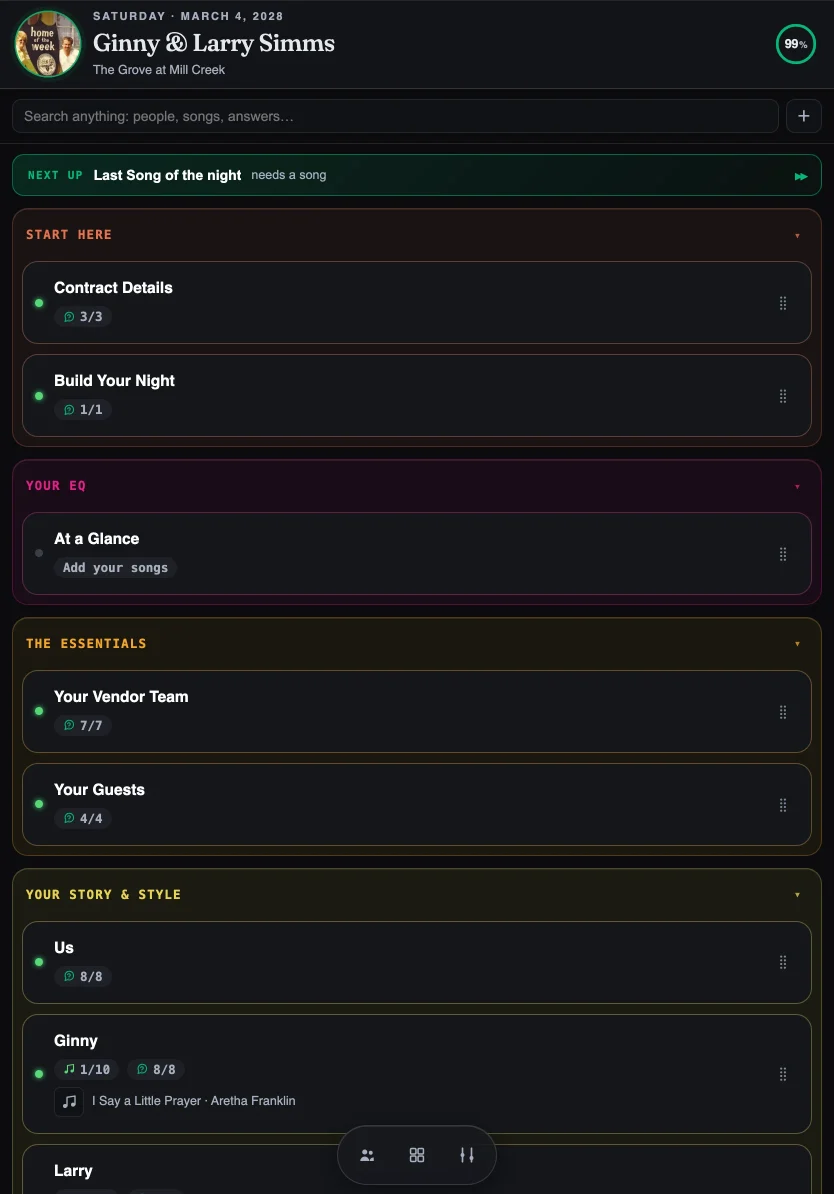
Ginny & Larry Simms's EQ timeline on an iPad, 99 percent planned, with their sections and songs
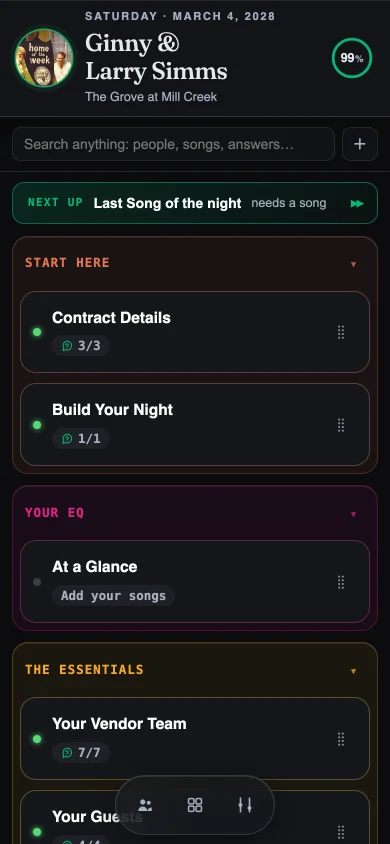
The same EQ timeline on a phone, with the next-up bar and the sections the couple works through
Fig 06 · The EQ timeline

Song requests

Couples search with album art and request songs for every moment, plus must plays, do not plays and guest requests. Song requests come through a link that carries your company, not ours.

Song search on a phone, with a couple's search for Follow God by Kanye West showing titles, artists and an add button on each row

Fig 07 · Song requests

Album covers are blurred here out of respect for copyright. In the app, you see the full artwork and can open each song in Apple Music.

03 · Booth

Your live companion, on any device. Even offline.

The run of show is the night turned to face you, on your phone, tablet or laptop. It keeps running with no wifi and no signal in a dead-zone venue.* What is on right now, the cue notes, the mic, and a tap to move on. Couples never see this side.

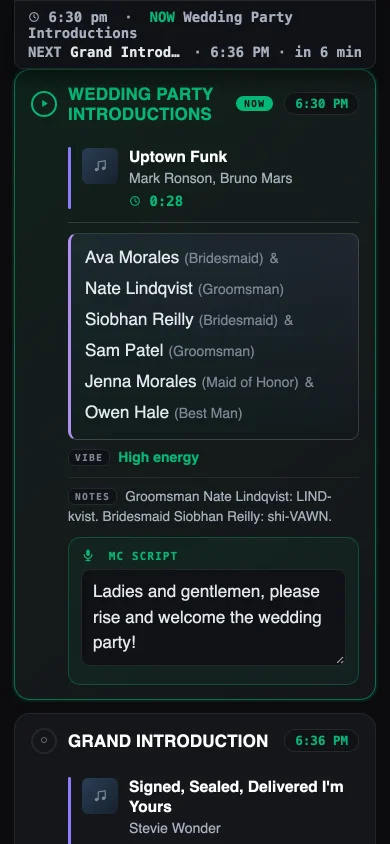
The run of show on a phone at 6:30 pm. A bar at the top reads now Wedding Party Introductions, next Grand Introduction at 6:36 pm, in 6 minutes. Below it, the section marked now: the entrance song and its cue, the lineup in order with each role, the vibe, a pronunciation note and the MC script, then Grand Introduction
Fig 08 · Run of show

Flip the MC notes on when you are on the mic and off when you want a clean timeline; a note can be one line or a page. Songs sit in the moment they belong to.

*Open it once while you have signal and it caches to the device. From there it runs fully offline: every change saves on the device and syncs the moment you are back online.

One app.

Eight jobs, one login. The same Wedding EQ on your phone, your iPad and your laptop.

Wedding EQ on a laptop: the pipeline board
The same couple's EQ timeline on an iPad
The same couple's EQ timeline on a phone
Fig 09 · Every device

It runs in the browser on phone, tablet and laptop, and installs to the home screen like an app. Change something on your phone and it's there on your laptop when you're online.

It is a sales tool first.

Nobody books a DJ for the software. But couples decide on the first call, and the first call is where this shows. Here is what it does for the sale, and what it does not.

The EQ timeline is the demo.

Open it on the first call. The couple sees the night laid out, the questions they will answer and the songs they will pick before they have signed anything. Most DJs describe their process. You show it.

Every guest sees your name.

Song requests come through a link that carries your company, not ours. The couple's friends and family touch your brand, and they get to shape the night while they are there.

You stay in front of them.

Their EQ is something the couple opens on their phone through the whole engagement, not just on the two calls. That is a year of your name on their screen, and it is where referrals start.

What it does not do

It does not find leads. No ads, no marketplace, no directory listing. It does not make a weak first call strong. It does what it says: it makes the leads you already get easier to close, easier to run and harder to lose.

Your contracts, your couples, your Saturday nights. Here is how they are looked after.

Security

You can sign in with Google. Card and bank details go directly to our payment processor, Stripe; we never receive full card numbers. Each company's data is kept separate from every other company's.

Backups

Your data is backed up continuously, with point-in-time recovery.

Support

Every message comes straight to me. Email support@weddingeq.com. Our target is a reply within 1 business day.

Mike Sanders

Built by a working DJ.

I'm Mike Sanders. Fifteen years behind the decks, full time wedding DJ since 2019.

I built Wedding EQ because the tools I paid for were slow, stitched together, and let me down without a signal at the events that mattered most.

Today it runs my own DJ company: simple, intuitive, and customizable to the way I work. It gives me more time to be a husband and a dad.

Two plans. One product.

LITE is the EQ timeline on its own. Pro is the EQ timeline plus the whole backend.

LITE

$89 a month

The EQ timeline on its own. Song requests, run of show and DJ prep, client sharing and a simple event list.

Pro

$199 a month

The EQ timeline plus the whole backend:

  • Pipeline and CRM
  • Contracts, invoices, payments
  • Packages and pricing
  • A full EQ account for every client, and team access
  • Stats, automations, song ideas, custom work

Every account starts with a conversation.

Cancel anytime under Billing or by emailing support@weddingeq.com. It takes effect at the end of your paid period, and you keep access until then.

We can help move your existing clients and events over. Options and pricing depend on what you have, so we'll talk it through on your onboarding call.

Let me show you around.

Thirty minutes, DJ to DJ. Bring the questions you would ask before trusting it with a real wedding.

Mike SandersAbout 30 minutes, live with Mike.

Rather write? Send Mike a note.